
It's very easy to upgrade your hosting account with Automate WP.
Step 1
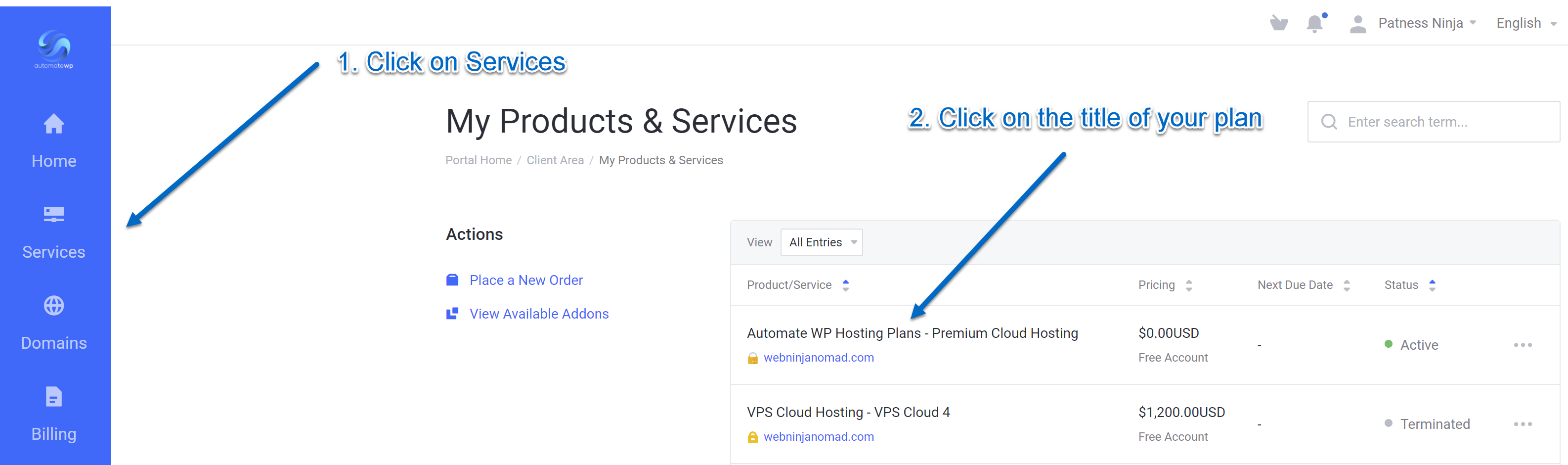
Login to your Automate WP client area and click on 'Services' then the title of your active plan.
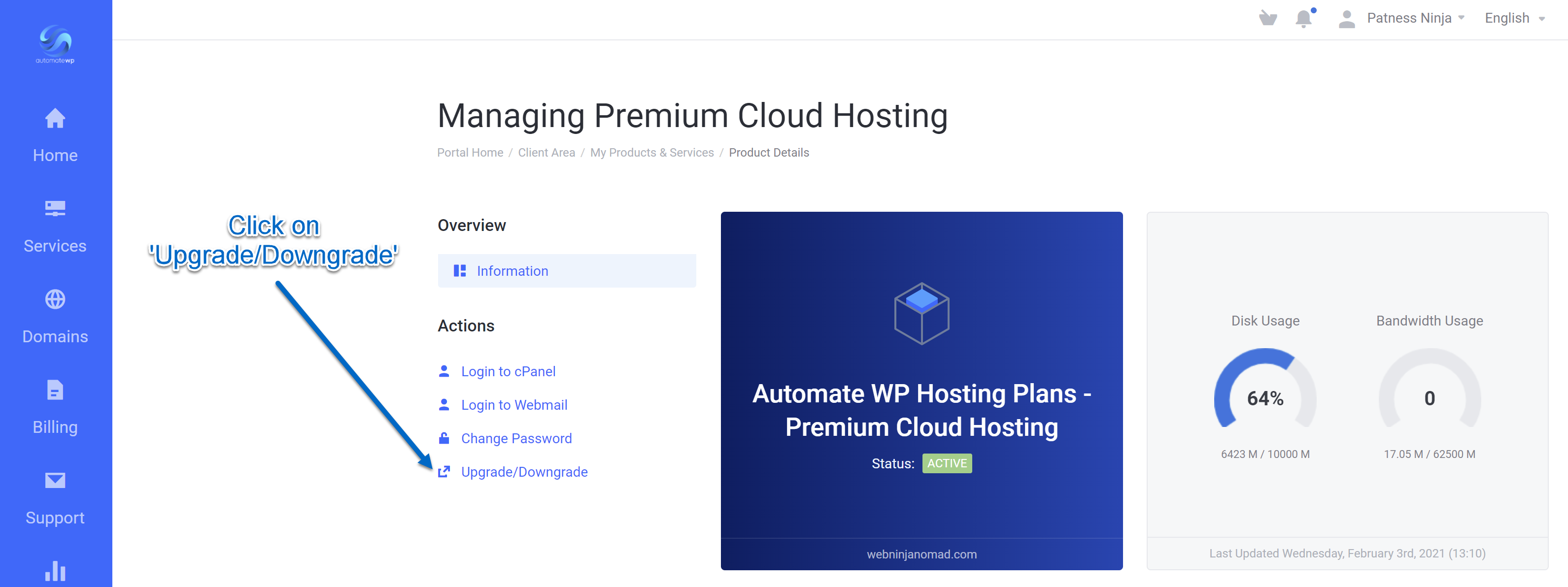
Once you click on your plan you will see a button that says 'Upgrade/Downgrade'
On the next screen you can see what options are available for upgrading your account.
At checkout you'll have options to pay monthly or annually.
If you have any questions about upgrading/downgrading your account please open a Customer Billing support ticket in your client area.


