
Step 1. Choose a Plan
1 Website - Basic Plan (order now)
5 Websites - Premium Plan (order now)
10 Websites - Business Plan (order now)
Step 2. How to Create Your Account
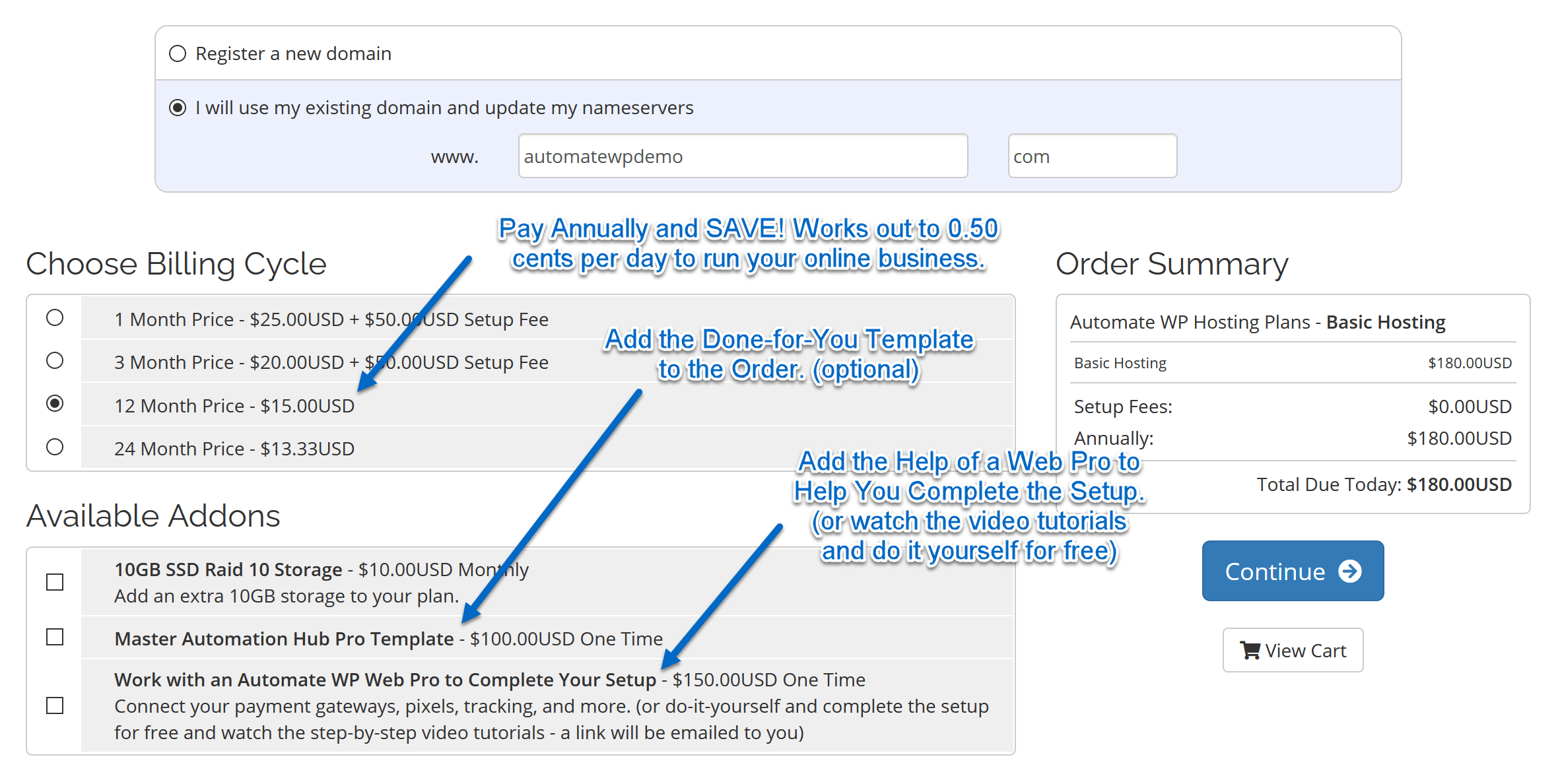
When you choose your plan you will have 2 options before you create your account.
(1) Register a new domain. (2) Use an existing domain and update the nameservers. (see photo below)

Step 3. Choose Your Options and Addons
Choose the payment plan that works for you. We highly recommend paying for 12 months or 24 months.
You save money down the road and it ensures your account stays in good standing.
If you are starting with the done-for-you website, check the box and add it to your order.
We also have the option to work with one of our web pros to connect all your apps and softwares.
Step 4. Add Your Account Information and Billing Details
If you live outside the United States please choose your country before choosing your state.
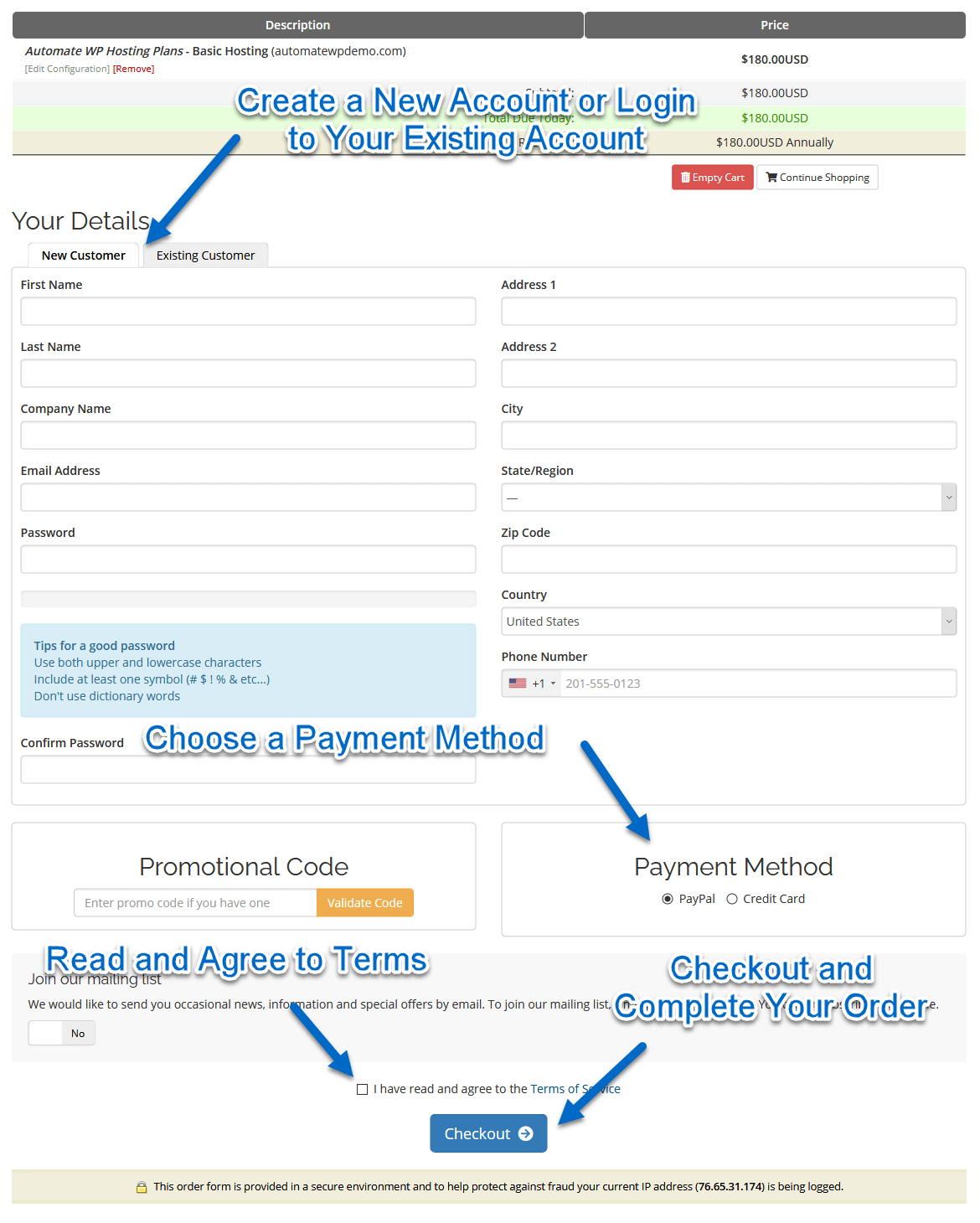
And that's it. Your account creation will be completed.
Important Information
If you registered a new domain then you are ready to go and everything will be connected.
If you purchased the done-for-you website, it will be live within 24 hours.
If you are setting up the account for an existing domain you will have to update your domain nameservers to connect the server.
Your nameservers can be found in your "New Account Information" email you received when you registered for your account.
To do this login to where your domain is registered and see if there is a 'DNS' or 'Nameserver' setting.
If you are unsure of how to do this reach out to your domain registrars support.
Or search their help area for the term 'change domain nameservers' and you should find an easy to follow how-to guide.
If you need further assistance or guidance please feel free to open a support ticket.
We'll get back to you as soon as possible.


